It has recently come to my attention that two Sailwave users have found that the SFTP upload from Sailwave to IONOS website has stopped working this week. After investigation it appears that they IONOS have now switched from SFTP with SSH to SFTP with SSH-2.
Unfortunately SSH-2 is not currently supported in the Sailwave SFTP upload. It supports SSH but not SSH-2
Sailwave actually uses a paid third-party library, SocketTools, to implement this functionality. It currently uses version 10 of SocketTools, which doesn’t support the SSH-2 it is, however, supported in version 11 of SocketTools, but the cost of an upgrade is $295. Whether I can justify paying this at the moment is questionable for this functionality.
You could just save a file on your PC and use FileZilla or Core FTP LE, both of which are free of charge and work with SSH-2 but this requires a lot more manual work
As a workaround, the following is a solution that works quite effectively. This uses WinSCP, which is a free download and can be downloaded from here WinSCP :: Official Site :: Download
You don’t need to use WinSCP directly. It is just used in the background, but it needs to be installed.
Create a file upload-auto.bat with the following contents in a directory of your choice.
Change the three lines, USER, PASS, and HOST, to contain your username, password, and host name.
@echo off
setlocal:: Check if a file was provided
if “%~1″==”” (
echo Usage: %~nx0 ^<path_to_file^>
exit /b 1
):: Check if the file exists
if not exist “%~1” (
echo Error: File “%~1” does not exist.
exit /b 1
)set “FILEPATH=%~1”
set “ORIG_BASENAME=%~n1”
set “USER=Change to your username”
set “PASS=Change to your Password”
set “HOST=Change to your host name”echo Selected file: %FILEPATH%
echo.:: Prompt the user for the remote filename
set “REMOTE_NAME=”
set /p “REMOTE_NAME=Enter the remote filename (leave blank to default to %ORIG_BASENAME%.htm): ”:: If the user pressed Enter without typing anything, use the original name + .htm
if “%REMOTE_NAME%”==”” (
set “REMOTE_NAME=%ORIG_BASENAME%.htm”
) else (
:: If they typed a name, check if they included an extension. If not, add .htm
for %%I in (“%REMOTE_NAME%”) do (
if “%%~xI”==”” set “REMOTE_NAME=%REMOTE_NAME%.htm”
)
)echo.
echo Uploading file automatically as ‘%REMOTE_NAME%’…:: Run WinSCP via command line, passing the local path and the remote name
“C:\Program Files (x86)\WinSCP\WinSCP.com” /command ^
“open sftp://%USER%:%PASS%@%HOST%/ -hostkey=*” ^
“put “”%FILEPATH%”” “”%REMOTE_NAME%””” ^
“exit”echo Upload finished!
===================================================
Now publish from Sailwave
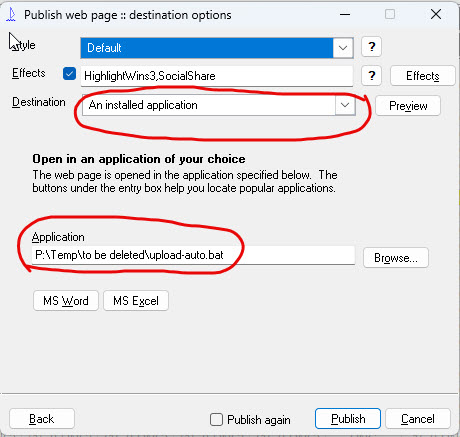
For any discussions and use of this, please see the Sailwave User Group forum (https://forum.sailingresults.co.uk)
 A sample of Flight information is shown with text
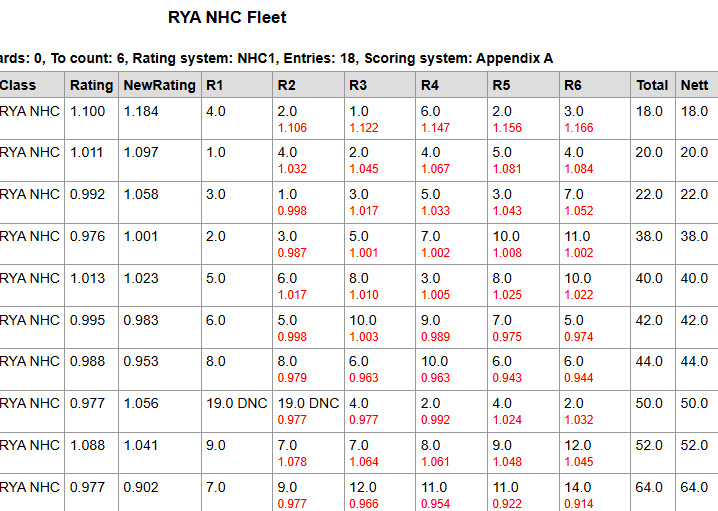 Sample of converting Rating to boat name demonstrating change of rig – but many things are possible