Competitor Lists for use with Sailwave
This program is included with the Sailwave installation
Simply type SWCList in the Windows search box, and it should appear
This Program also allows creation of CSV files to allow exporting data to other parties.
Sailwave includes the ability to print Competitor lists, so why use this program?
This program adds some features currently not available in Sailwave
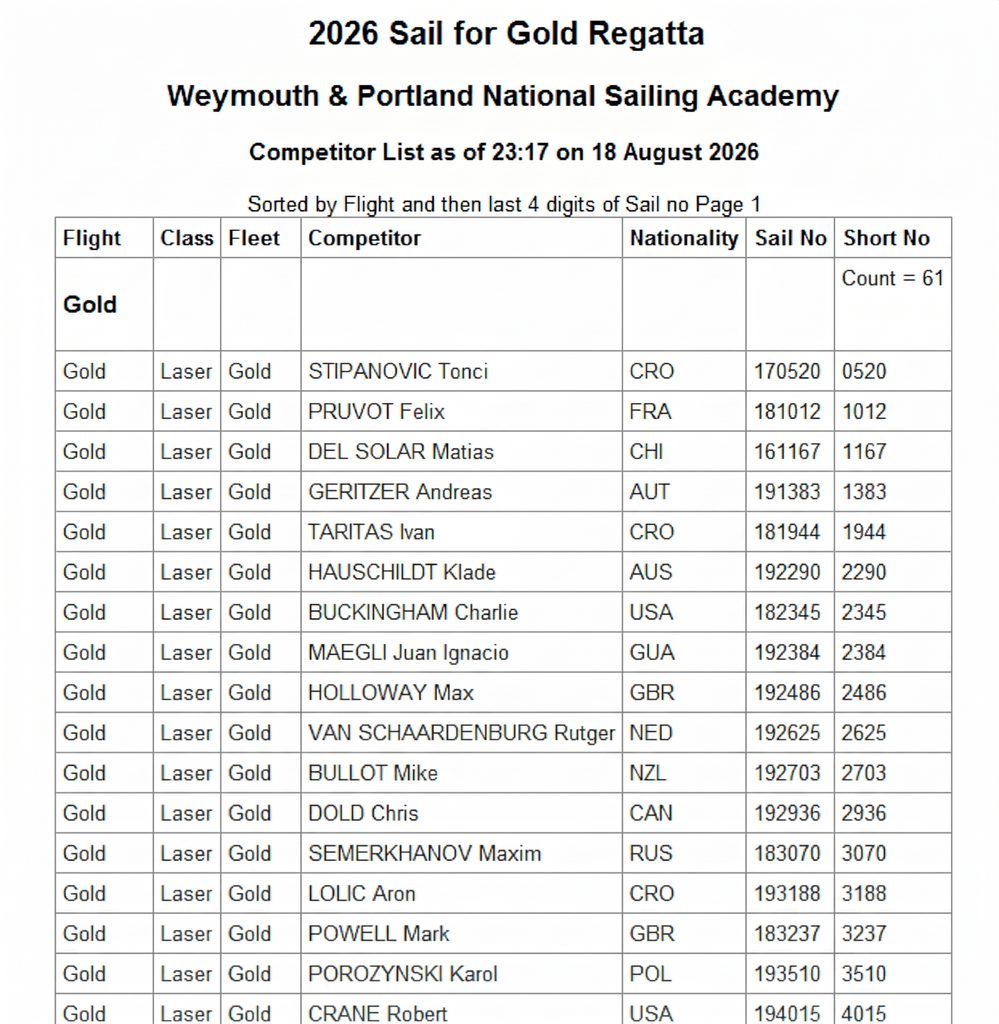
- Ability to sort on 3 Columns
- Ability to create and sort on the last 4 or 3 digits of the sail number
- Can sort on Lastname (HelmNameRev) when Sailwave format is “Firstname Lastname”
- Highlights in Bold any duplicate sail numbers, full and shortened
- Ability to add Headings on changes of Sort key
- Adds Count to Headings
- Can produce page breaks and adds column headers for multiple pages
- Only temporarily opens the file in read-only mode, so it can be used in multi-user situations
- Sorts Gold, Silver, Bronze in the correct order ( not alphabetical ). Also Yellow, Blue, Red, and Green
So what does it produce? Below is a sample of the output:
Some of the Key Features are:-
- Designed to be extremely easy to use and very fast
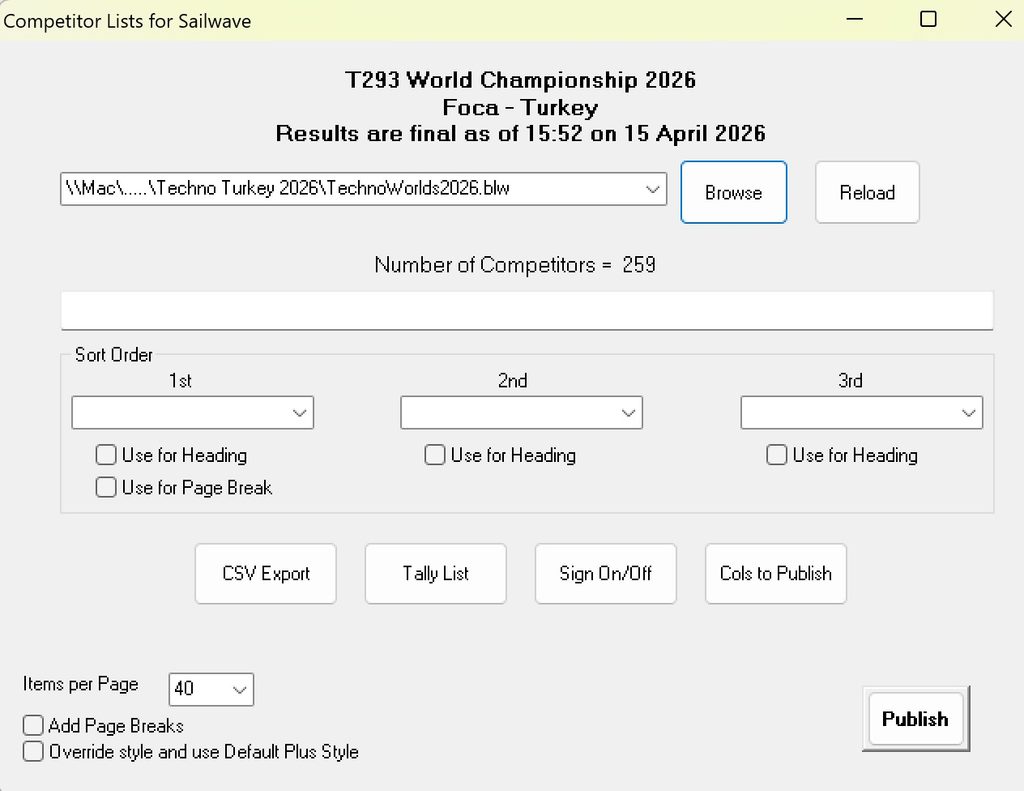
- When you run the program, it automatically reads the last file opened with Sailwave
- Displays the Event, Venue, and Title
- Counts and displays the Number of competitors
- Learns the columns used within Sailwave and the properties of these.
- Uses the same Styles as used by Sailwave, with optional Default Plus Override.
- Can be sorted on 3 columns
- Ability to specify which Columns are published – Use the Columns to publish button
- Can create a CSV file or HTML
You can create PDF files from the HTML file by using the Print to PDF
The CSV Export also allows optional filtering to be applied. Leave the filter blank if you wish to export all records
Normally, it will automatically load the last file used by Sailwave; however, if you wish to use a different file:-
- The Dropdown box is populated with the last 20 files used by Sailwave
- The Browse allows you to open any Sailwave .blw file
- Reload allows the file to be reloaded if it changes (You are warned with the option to reload if the file has changed since you loaded it when you click Publish)
You can create a page break whenever the 1st sort field changes.
Examples would be starting a new page for each flight, e.g., Gold, Silver, Bronze
or starting a new page for each Fleet, e.g., Techno, RSX, Raceboard, Formula.
It can break the output into pages, with the headings repeated at the top of each page. This is not an exact science, as it depends on many factors, such as your styles and browser magnification. You can adjust the number of lines per page; the default of 40 can be increased or decreased if needed. This is a trial-and-error process but is very quick to do.
Sorting on Reversed names
Version 1.1 adds the ability to sort on reversed helmname. So if you like to use the more friendly/informal format of Firstname Lastname, this version will allow you to produce lists in Lastname order but still display them in FirstName Lastname order. This works by detecting the space in the name. Just be careful if you have dual First names, such as Mary Ann Smith. In this case, enter this as Mary-Ann Smith or Mary_Ann Smith