TracTrac to Sailwave
This programme allows you to create a file for import into Sailwave from the TracTrac tracking system for one design classes.
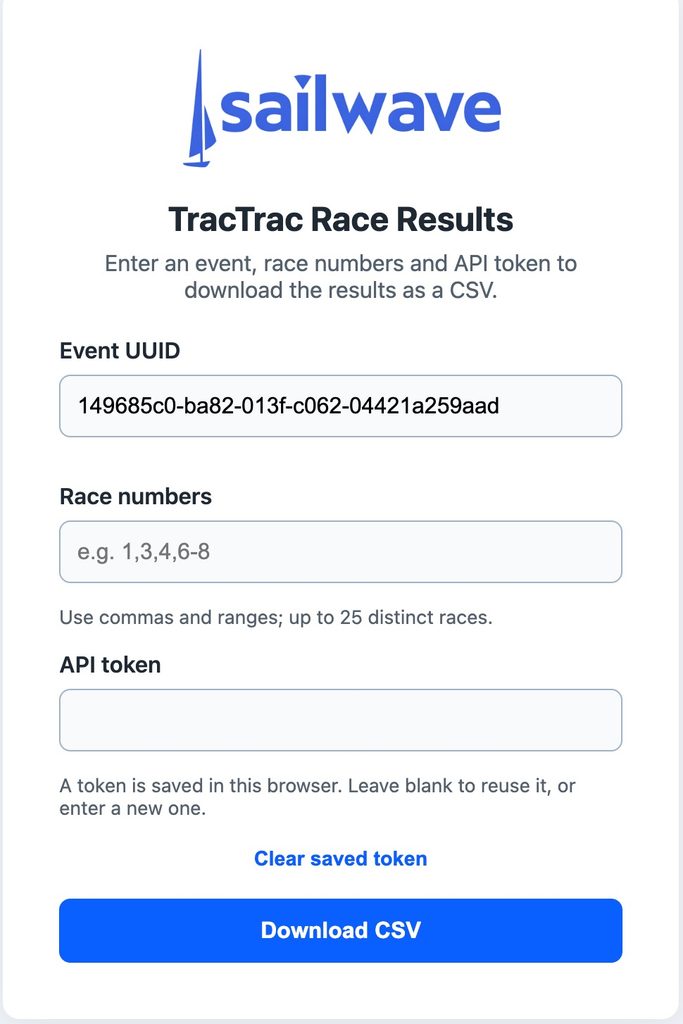
The programme is implemented as a web app hosted on Microsoft’s Azure platform.
To launch the app, click this button.
https://swtractracweb-d3dfc0bchgendjgy.ukwest-01.azurewebsites.net
or paste the above into the address bar of your browser
To use the programme, you need an API token supplied by TracTrac and also the UUID for the event.
Enter the event UUID, race numbers, and API token,
then select **Download CSV**. Make sure the event UUID is correctly filled. Enter one race or a comma-separated list and inclusive ranges, such as `1,3,4,6-8`.
Up to 25 distinct races can be selected; duplicates are downloaded once.
Results are combined in one CSV. Missing races are reported and skipped; if none are found, no CSV is downloaded. JavaScript is required to download a partial selection when some races are missing and to show the busy indicator.
The browser stores the event UUID and the last entered API token in its local storage so it can be reused when the token field is blank. Use **Clear saved token** to remove it; do not save a token on a shared browser. JavaScript is needed for remembering the token, but a token can still be entered for each download without it. The server does not save tokens or generated CSV files.
Once you have downloaded the CSV files, you can import it into Sailwave using File > Import Results from CSV.
The operation is very straightforward, but full details are available in the Sailwave user manual if you require it.